
Operator Round Assistant
Replace disconnected round sheets with scheduled, asset-specific work that guides operators, identifies abnormal conditions and gives supervisors a clear review queue.
Build the route
Connect each checklist and parameter to the correct plant, area, asset and equipment record.
Work at the asset
Open the round from the operator queue or scan the asset’s QR label with the rear camera.
See deviations early
Compare numeric readings against configured limits and retain checklist exceptions with comments.
Close with oversight
Supervisors approve, reject or reassign work while the status history remains traceable.
Every assignment, deadline and exception in view.
Operators see the work assigned to them, what is overdue and how their rounds are progressing without searching through administrative screens.
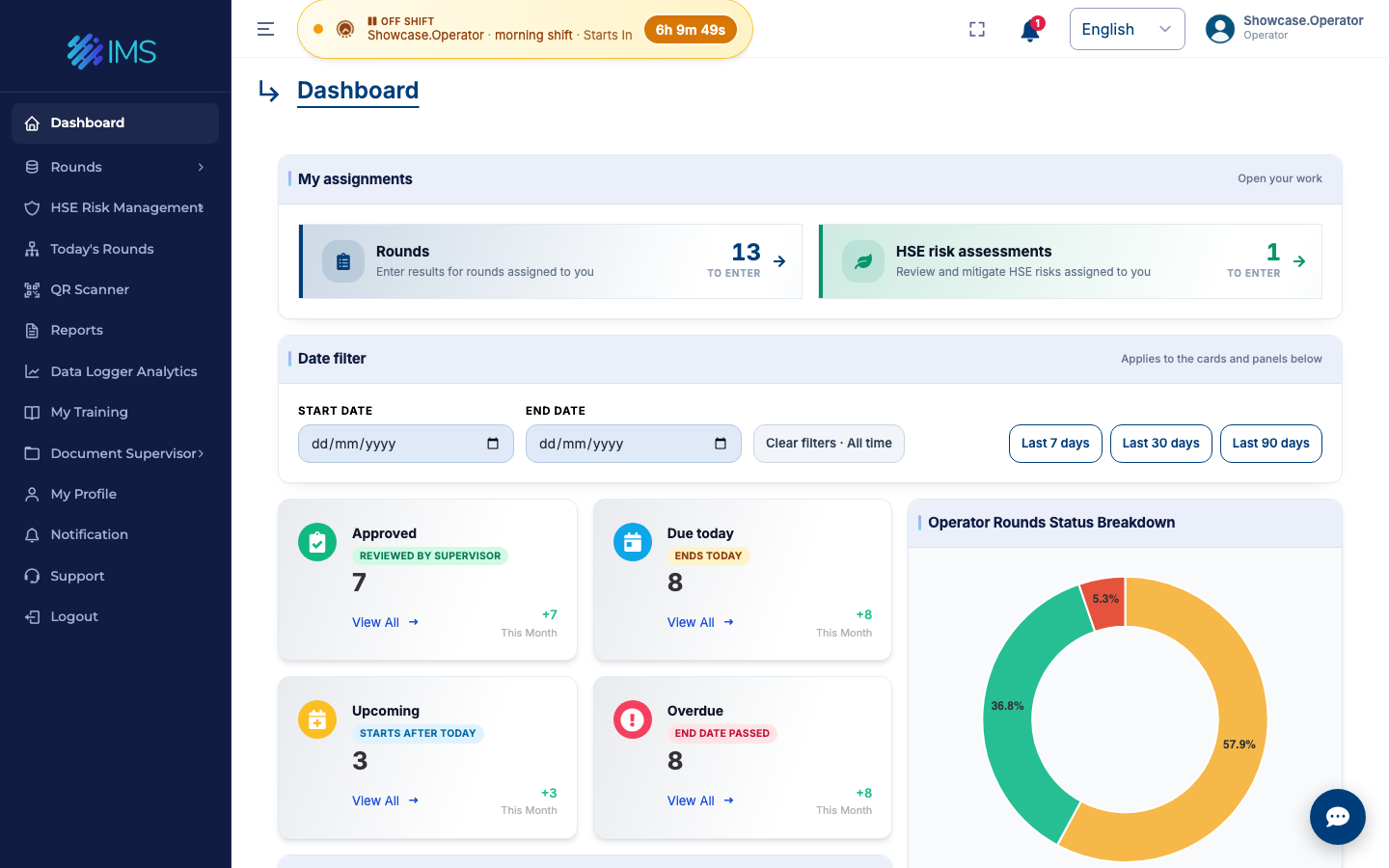
Give operators the context they need—not another generic form.
The selected asset determines the relevant checklist, parameters, equipment context and expected range.
- QR asset access: print individual labels or grouped QR sheets for field placement.
- Numeric and checklist data: capture measurements alongside yes/no, true/false and satisfactory/unsatisfactory checks.
- Evidence in context: keep comments, attachments and sample information with the result.
- Optional proximity control: require browser location to be within the configured asset radius.
- Mobile-responsive web access: use phones and tablets without a separate native application.
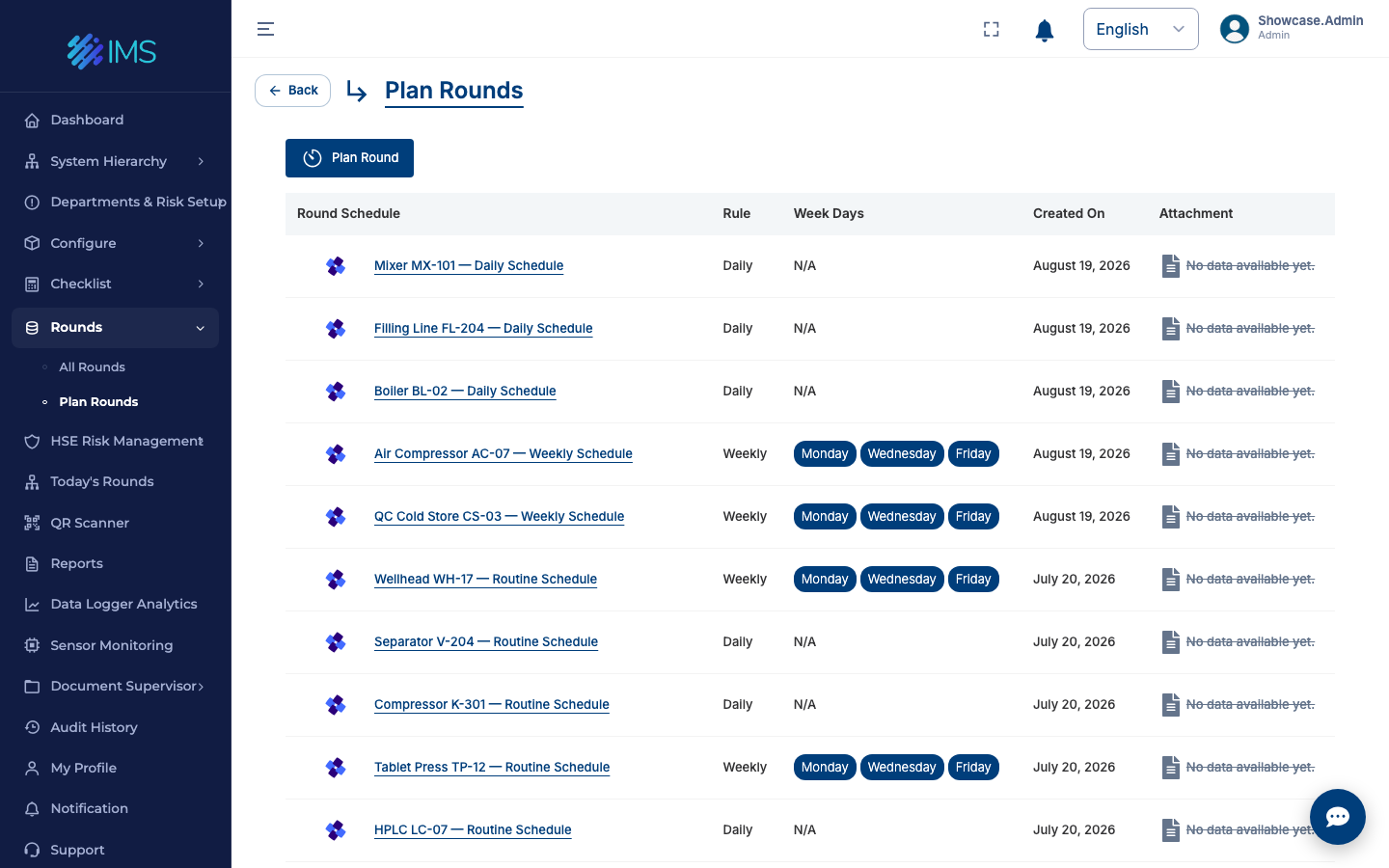
Schedules that become accountable work.
Create daily, weekly and monthly plans with assigned operators, reviewers, assets, checklists and date windows.
Keep the deviation connected to the action.
Out-of-spec results can move into HSE risk assessment, department assignment and mitigation without losing the original asset and measurement context.
Explore HSE & riskOperator
Confirms the reading, documents observations and completes the round.
Supervisor
Reviews the result, validates the concern and decides the next action.
Department
Receives the mitigation task and assigns the responsible nominee.
Leadership
Sees open exceptions, trends, processing time and closure performance.
Make recurring work visible.
Each schedule carries the asset, inspection content, recurrence and accountable roles into the operating day.
Turn one of your current operator rounds into a live workflow.
Share a sample route or checklist and we’ll map it to assets, readings, approvals and exception handling.